Mastering AI Flat Lay Photography with Fashion Studio AI
Make clear garment cards and outfit collages, then check that important product details survive processing.
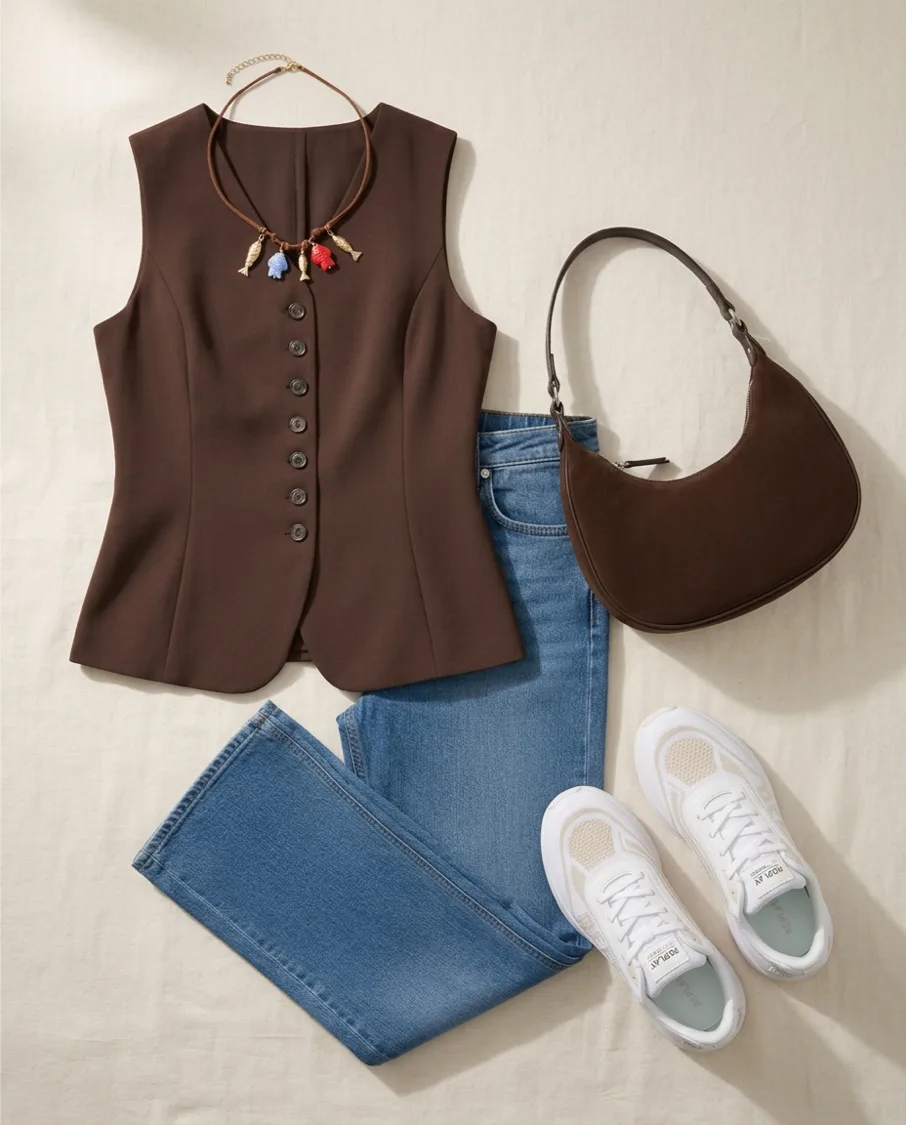
A flat lay presents clothing without a person wearing it. In Fashion Studio AI, garment processing helps create wardrobe cards, while outfit collages combine selected pieces into one view. These are different from Try On, which shows an outfit on a person.
Start with a readable source
Use even light, a plain background and a photo that shows the whole garment. Keep sleeves, straps and fastenings visible. A neat source reduces ambiguity; background removal cannot recover details hidden by folds or another item.
Separate the pieces
A styled photograph may contain several garments and accessories. Review detected items and select what to save. When layers overlap, check whether a detail belongs to the chosen garment or to something underneath it.
Footwear should appear as a matching left/right pair in a wardrobe card. If only one shoe is supplied, the opposite shoe is generated and checked. Inspect any asymmetrical details rather than treating the generated side as a product photograph.
Arrange a useful outfit
Use the manual outfit tools to choose pieces you own. Use Manual Capsule Builder for a larger set of up to 30 items, then compose outfits from that capsule. These manual steps are free; optional AI outfit generation from the capsule costs 3 credits for up to 10 suggestions.
Export and share
Export manual capsule pieces and looks to PDF or print them. Community sharing requires review: a shared capsule shows its card and palette, not its private outfits. For animation or other AI actions, check availability and the cost shown on the action button.
Ready to try it yourself?
Explore try-on examples and create outfits with Fashion Studio AI.
Add to Chrome