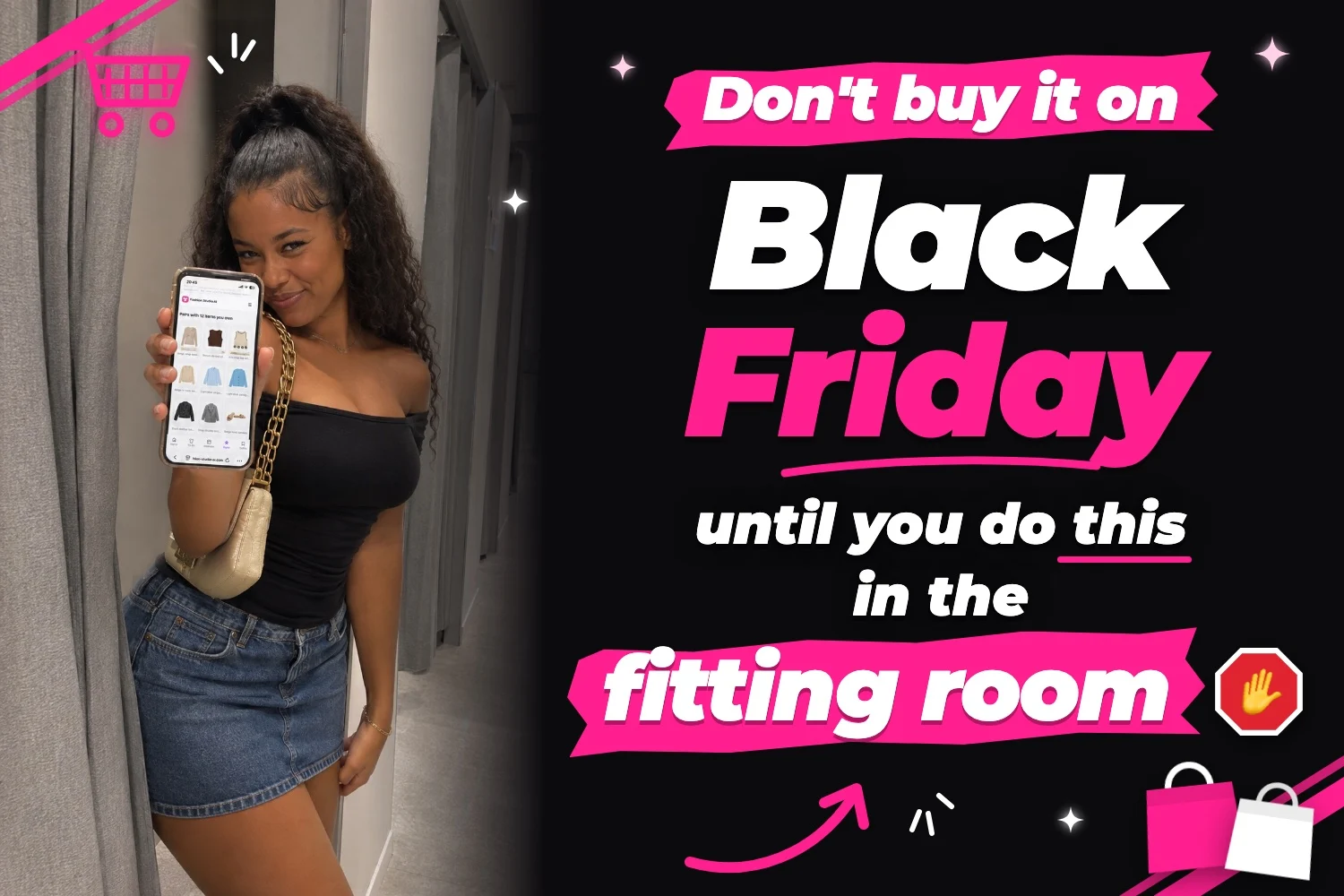
Don't buy it on Black Friday until you do this in the fitting room
What Goes With This? · 3 min read
It's 50% off. It's cute. But will you actually wear it? Here's the 30-second check I do in the fitting room before I pay.
Why Black Friday buys end up with the tags on
Sales make us decide fast. The price is low, the mirror is flattering, and we don't stop to ask the only question that matters: what will I wear this with?
If a new piece doesn't work with the clothes you already own, it waits in the closet for the perfect outfit that never comes. So the real deal isn't the discount. It's a piece you'll wear again and again.
The fitting room check
You need your phone and Fashion Studio AI with your wardrobe added. Adding my clothes took me about 40 minutes, once.
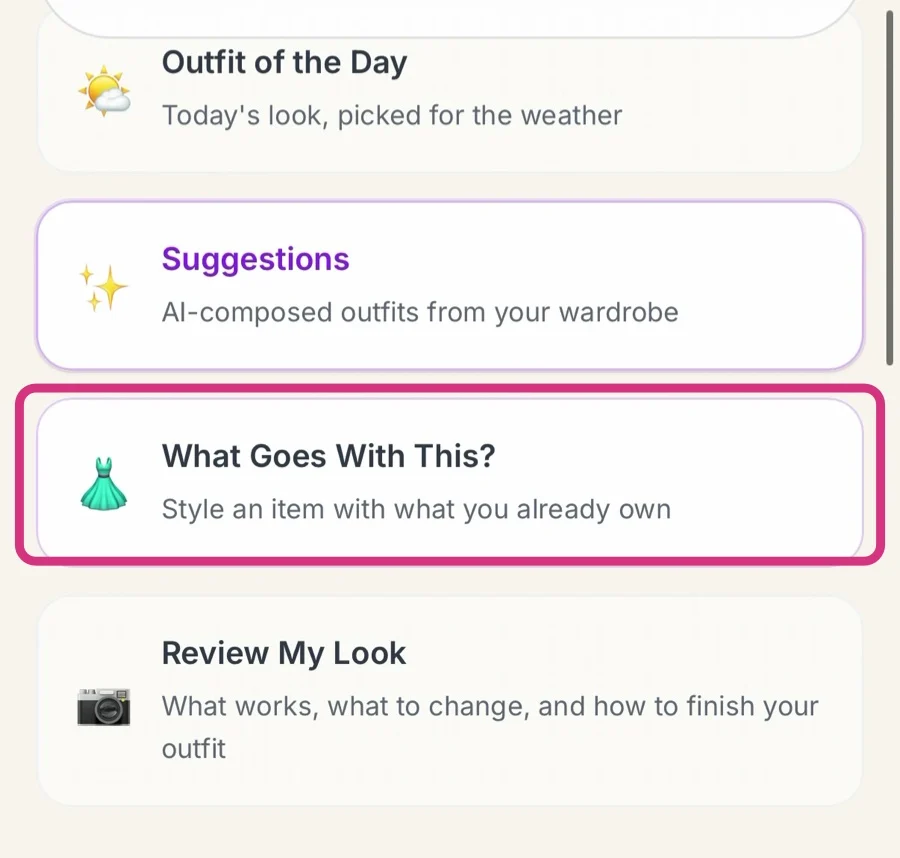
Step 1. Open What Goes With This?
On fashion-studio-ai.com, open the menu and go to AI Stylist → What Goes With This?
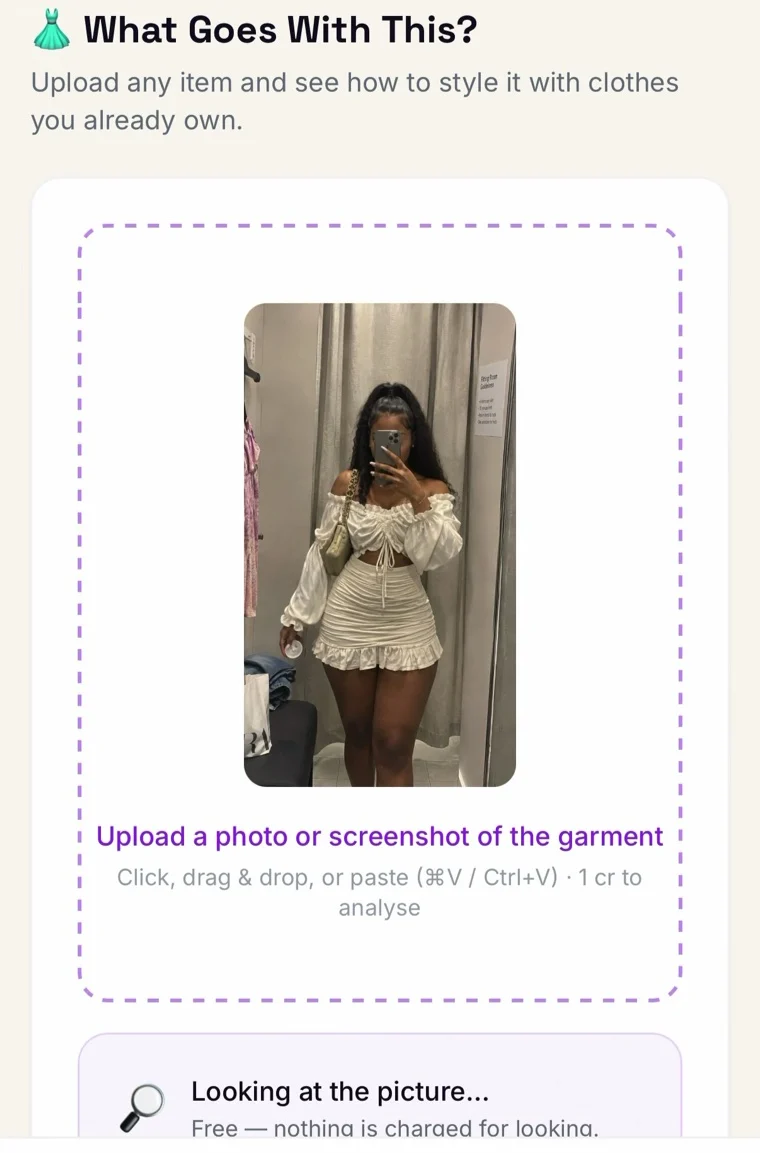
Step 2. Snap a selfie and upload it
Take a mirror selfie in the piece and tap Upload a photo or screenshot of the garment. A photo of yourself works: you don't need a product shot.
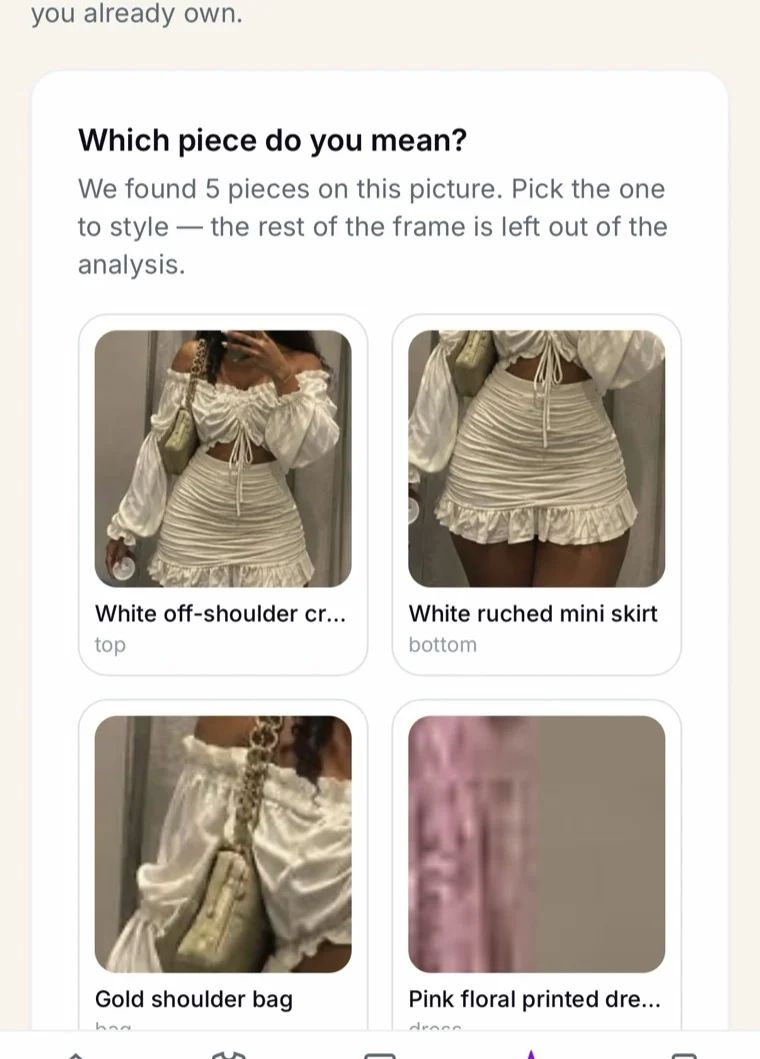
Step 3. Pick the piece you're thinking of buying
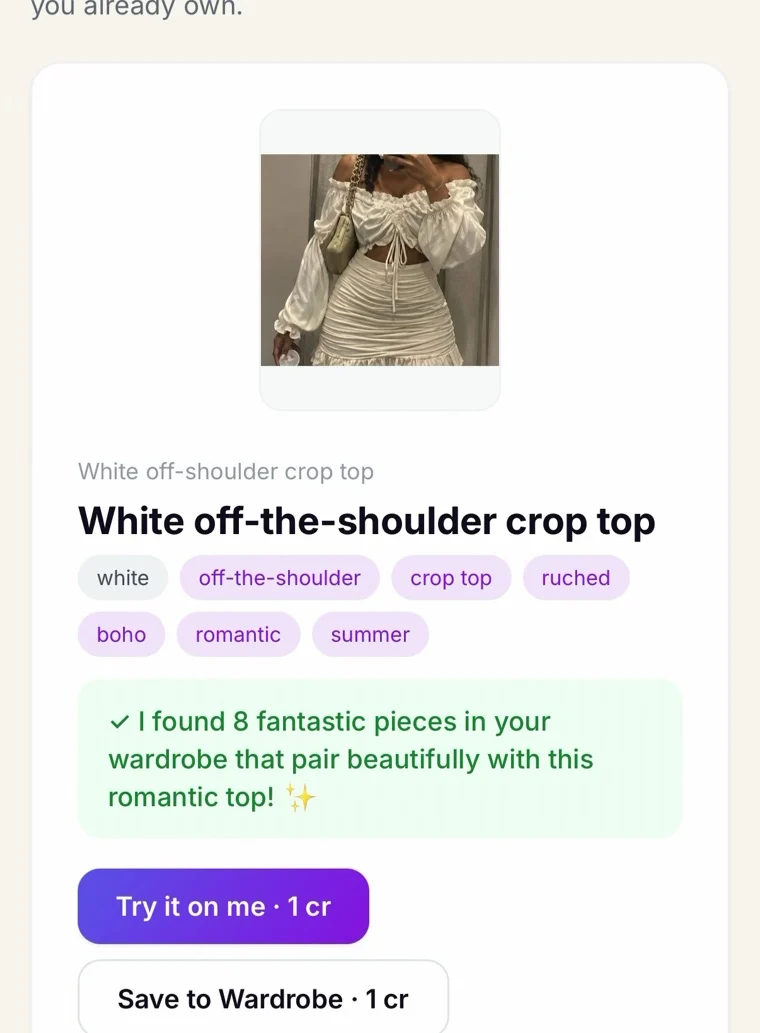
The AI finds every piece in the photo and asks Which piece do you mean? I started with the top.
Step 4. See what it goes with in your closet
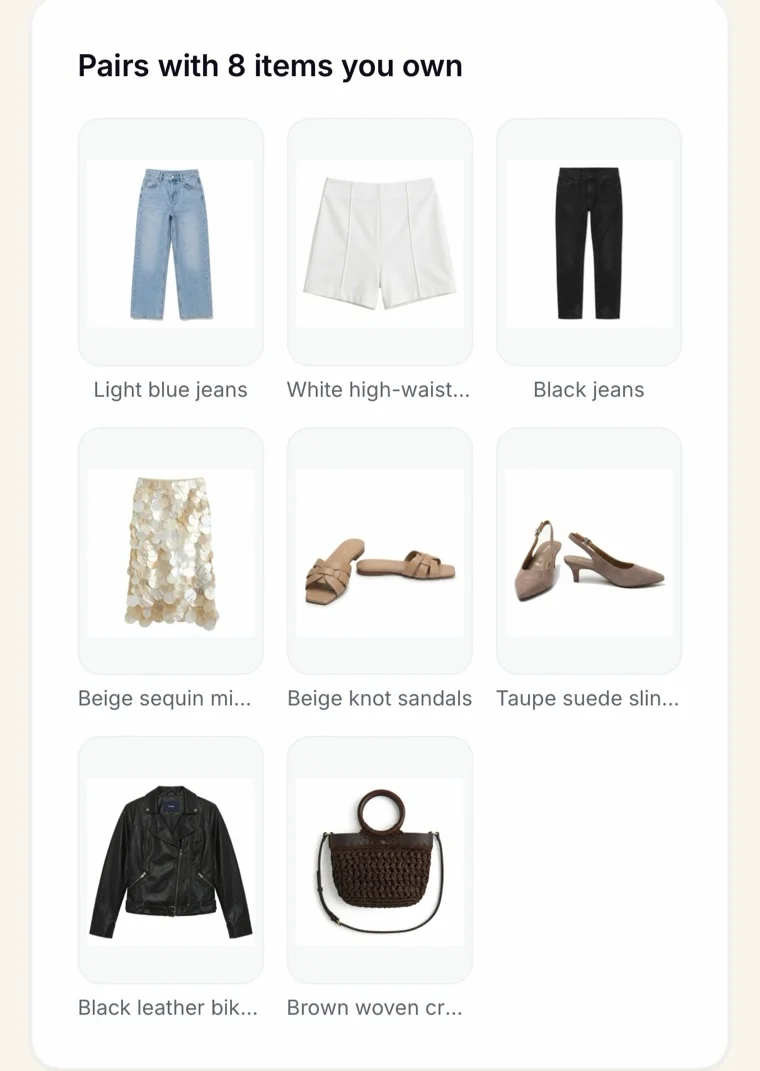
In about 15 seconds the AI stylist checks your whole wardrobe. My top had 8 matches: jeans, shorts, sandals, a leather jacket and more, all things I already own.
Step 5. Get ready outfits
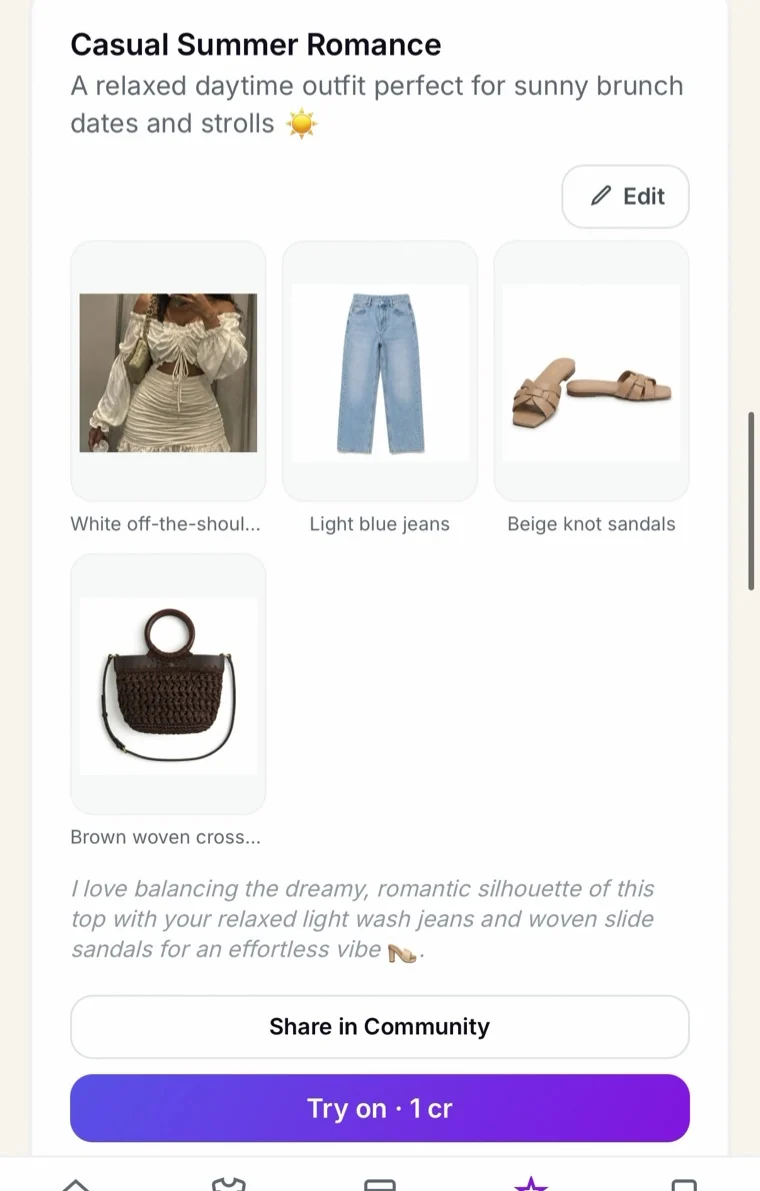
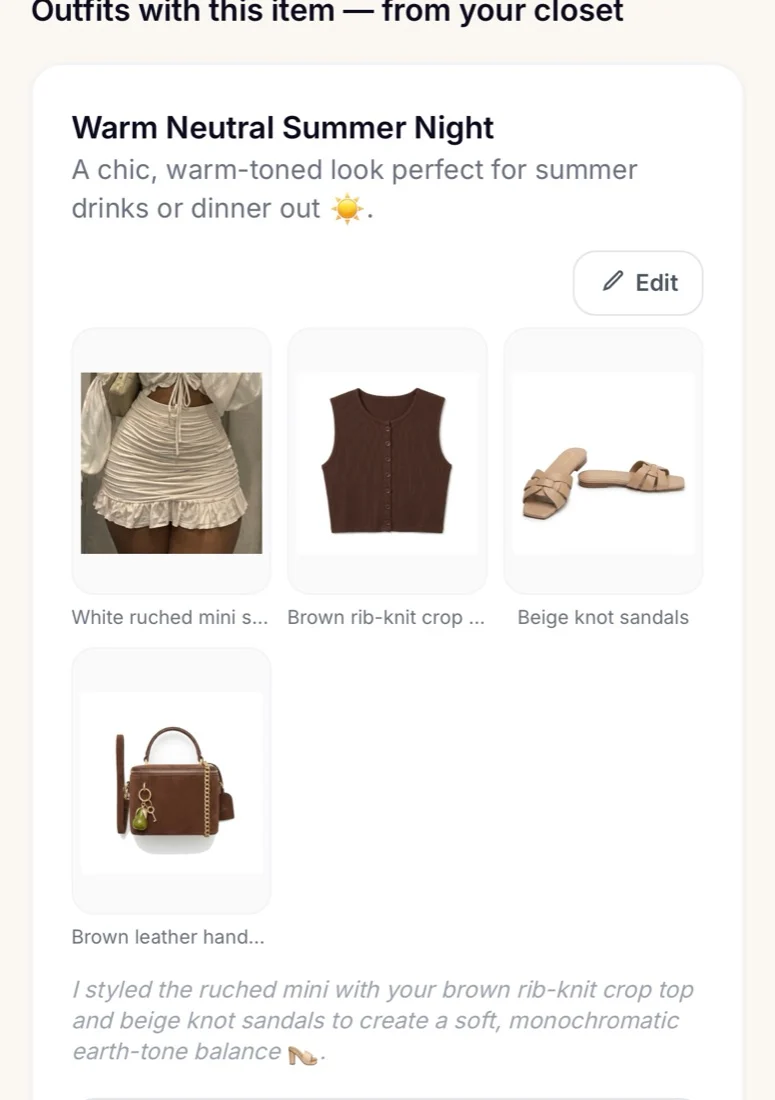
Below the matches you get 3 complete outfits built around the new piece, each with a short note from the stylist.
Step 6. Try the look on yourself
Tap Try on, add a full-length photo, and see the outfit on you before you decide.

Then I checked the skirt. Back on the hanger.
I did the same with the skirt. There was just one look I really loved. Nice, but not wear-it-every-week nice. So both pieces went back on the hanger, and I kept $50 in my pocket.

3 tips for smarter Black Friday shopping
- Count the outfits, not the discount. If you can't build three looks with what you own, skip it.
- Check one piece at a time. Upload the same selfie and pick each item separately.
- Add your wardrobe before the sales start. The more pieces it knows, the more honest the answer.
Snap it before you buy it
Check your next Black Friday find against your own closet.
Ready to try it yourself?
Explore try-on examples and create outfits with Fashion Studio AI.
Add to Chrome