🎉 Thank you for installing Fashion Studio AI!
You're just a few steps away from revolutionizing your fashion browsing experience.
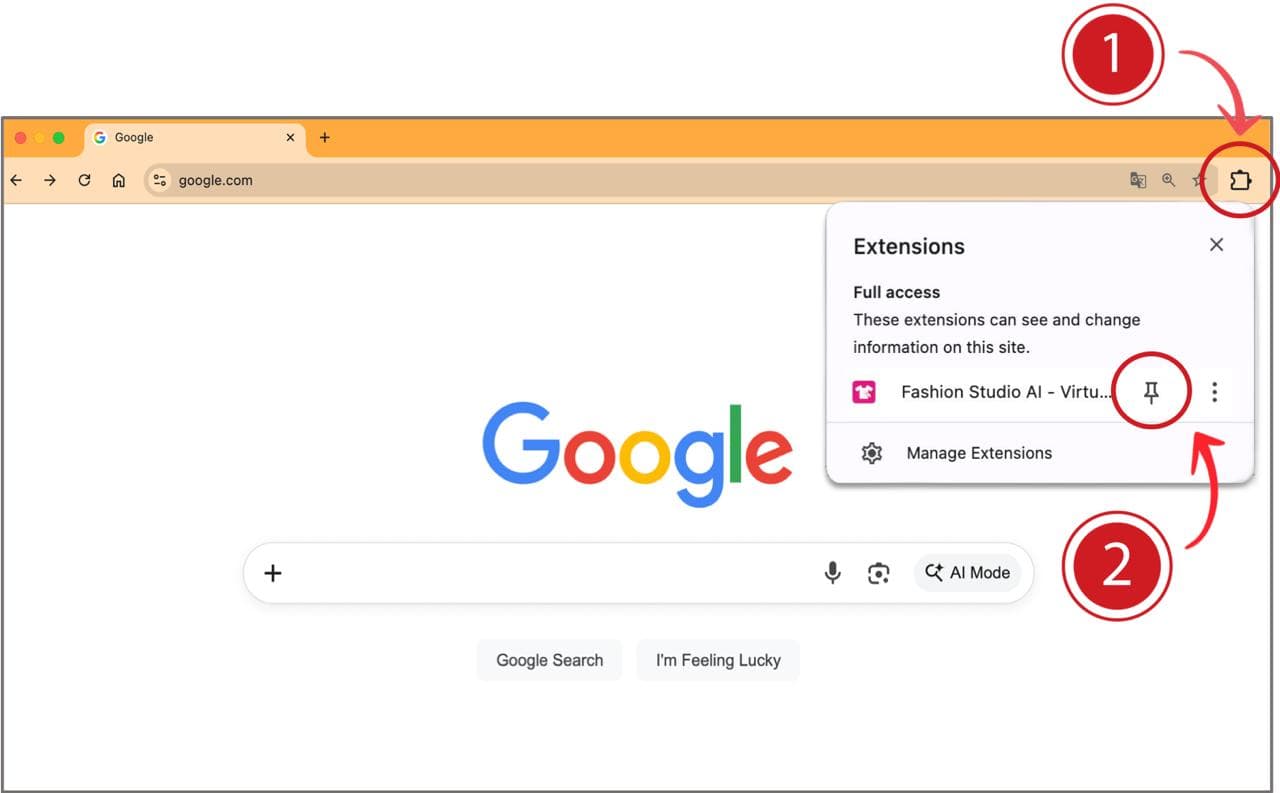
1. Access the Extension
Click the Extensions button  in the top-right corner of your Chrome browser.
2. Pin for Quick Access
Find “Fashion Studio AI”  in the list and click the pin icon to add it to your toolbar for instant use.
3. Sign In to Your Account
Click the Fashion Studio AI icon on your toolbar and sign in with your Google account or email.
4. Start Browsing
Go to any fashion website — Zara, ASOS, H&M — and find an outfit you love.
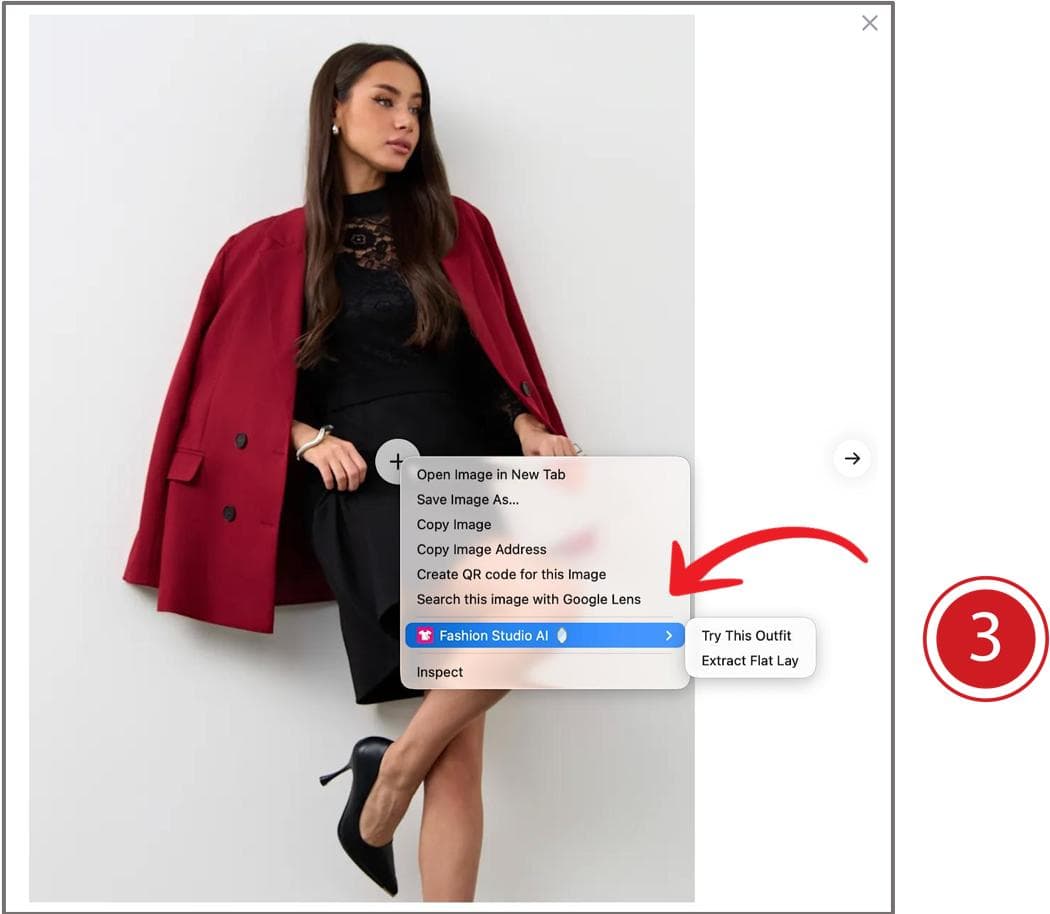
5. Right-Click to Begin
Right-click on any clothing photo to see "Fashion Studio AI" in the context menu. Choose Virtual Try-On or Extract Flat Lay.
Need help? Write to us at support@fashion-studio-ai.com